Monday, February 17, 2014

Medan Trip

Assalamualaikum and Greetings! 

Malam ni memang tak boleh nak tido...panas sangat yang membahang. Baru saje kembali ke Tekun ni, kemas-kemas apa yang patut. Setelah mencuba sedaya upaya untuk tido, finally I gave up and decided to update my blog..hihi. 

So, what's up with me? How did I spend my month-long inter semester break? For the first week of the one month break, it could be described using only one word: HECTIC! \
 *well, it should've been 'Hectic Giler' but...I digress. xD 

So it happened that I was chosen to attend an international seminar conducted by UUM in collaboration with Universitas Muslim Nusantara Al-Washliyah (UMN Al-Washliyah) - a private university in Medan, Indonesia. Elok-elok je habis last paper, esoknya terus bertolak ke Medan bak hang! Kesiannye budak Sollat habis paper lambat hu hu T.T 

Duduk kat Medan rasanya dalam 4 hari lebih kurang...banyak dapat dipelajari. I know it's a cliche word nowadays, but all I can say is (after going there); 'Bersyukurlah!'. The pictures below will be self-explanatory. 

Tapi kan...the traffic there..perghh! Ganas gile wehh. Hon tu dah jadi macam bunyi yg sgt common. Sikit sikit hon...sikit-sikit hon! They're a bunch of notorious drivers I tell you. If you allege that Penang drivers are notorious, then in comparison with the ones in Indonesia ni kan, macam child's play je woo...

Antara pengisian program tu adalah the seminar itself, then a bit of a community service, where we interact with the locals from the kampungs (they call it there Desa or Dusun, I can't remember too well). 

We were separated into 2 groups for Dusun 10 and 11 respectively. Then pergi ke Danau Toba, majestic nye Subhanallah! Then kat Danau Toba tu ada satu pulau, nama Pulau Batak. 
*jangan beli souvenirs kat Pulau Batak tu bapak mahal -.- 

**lagi satu, kalau kat sana, kalau tak nak beli jgn pegang barang diorang offer. once you touched it, they'll follow you ke mana-mana je. They're very persistent la wehh. Tak pernah jumpe macam tu...

Ok, here are the pictures. Enjoy :) 
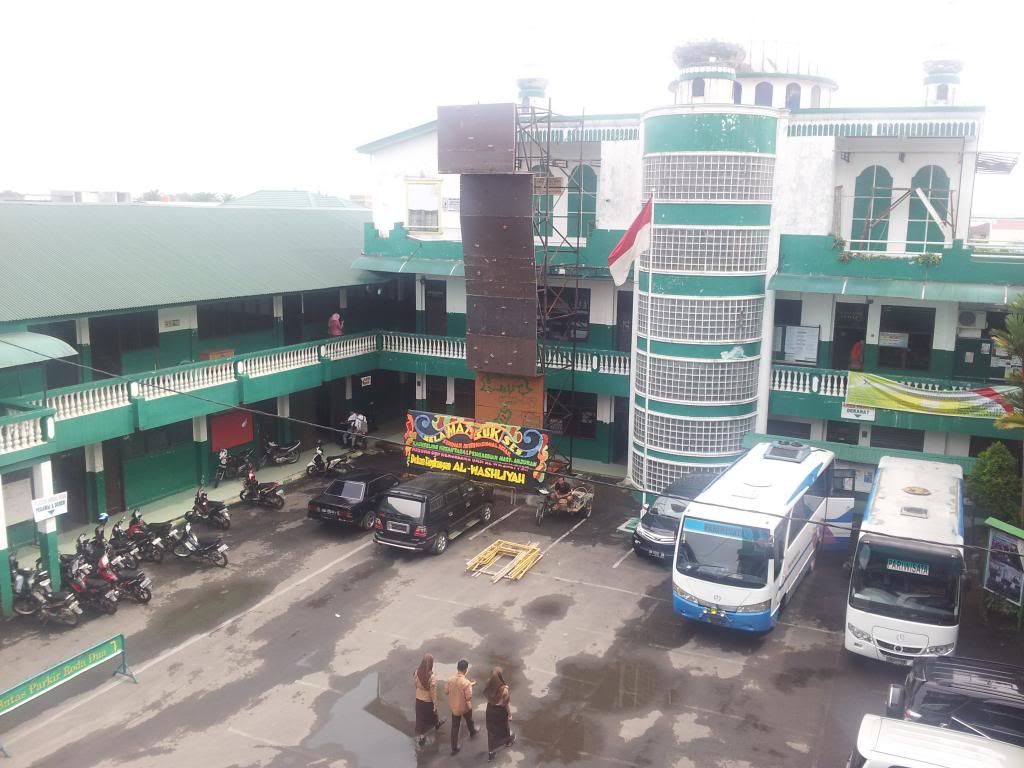


This is UMN Al-Washliyah 
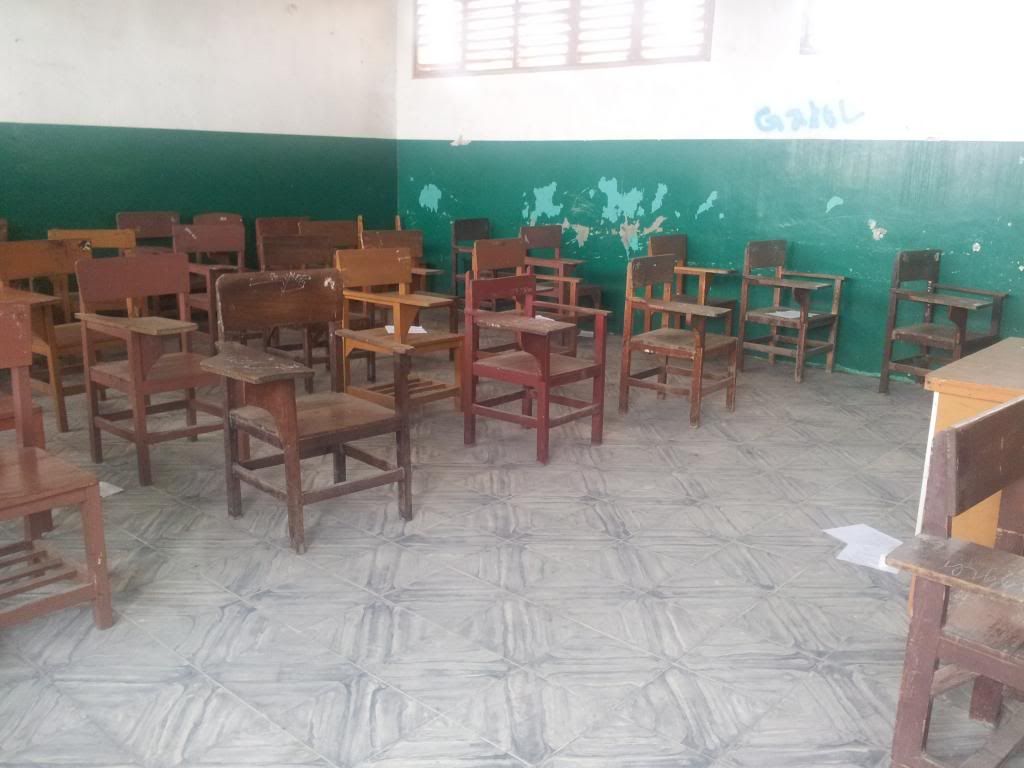
This is their classroom.
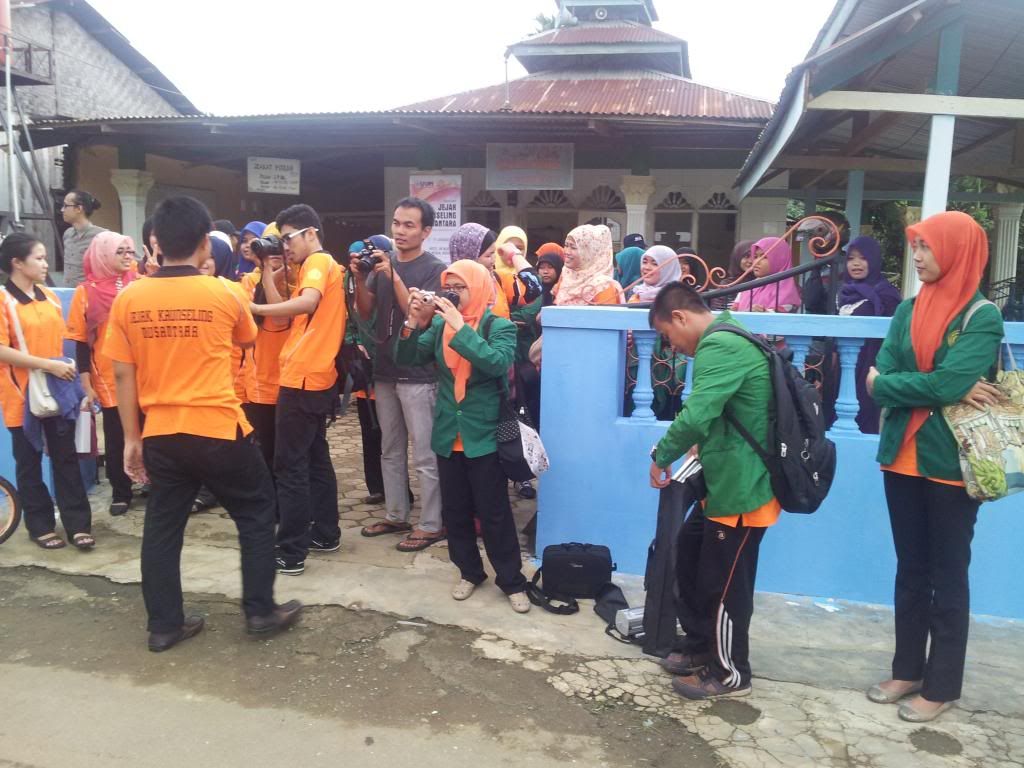
Aktiviti khidmat masyarakat bersama pelajar UMN Al-Washliyah 
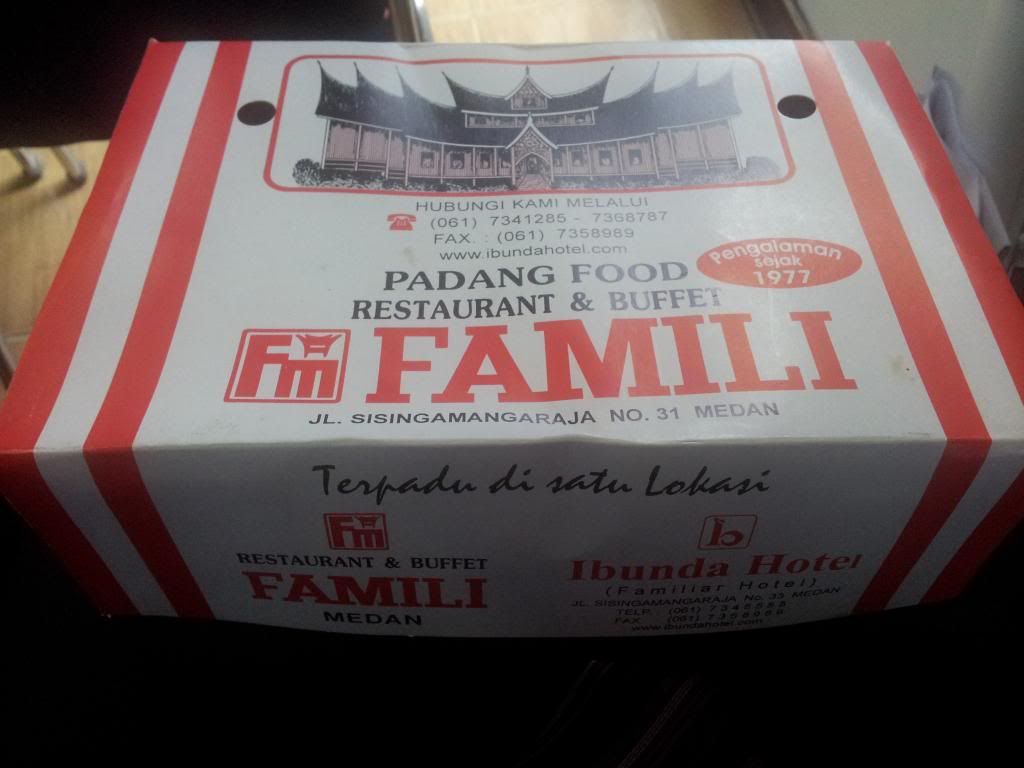
My favourite food at Medan...nasi kotak! Sedap siot!! Pedas bak hang. hehehe


Danau Toba -ni baru view from the bus
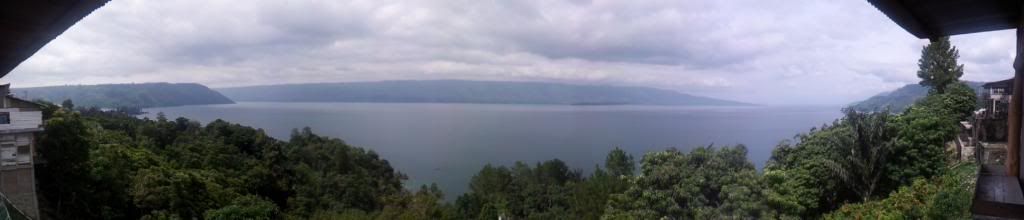
Panoramic view of Danau Toba - baru sebahagian! Can you imagine how majestic the place is?
Another one! :)
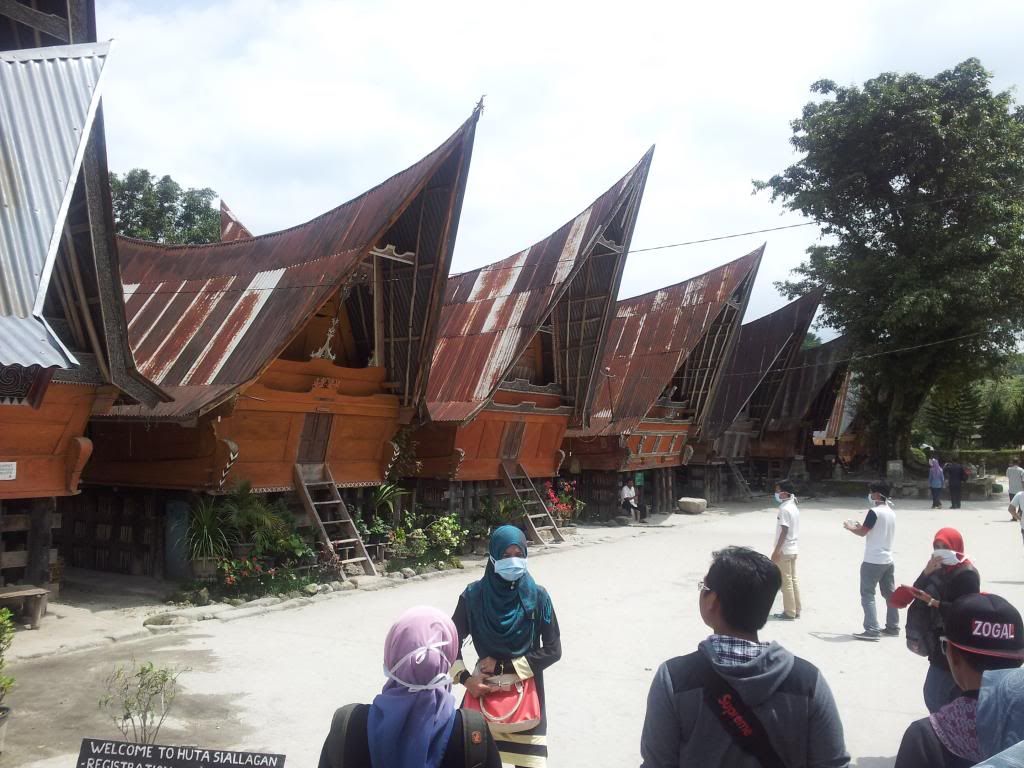
Rumah style Minangkabau at Pulau Batak, Danau Toba


That's all for now. :)

Ends.
Monday, January 6, 2014

DIY Project: Replacing Head Unit (Car Radio)

Assalamualaikum and Greetings!

Here's another diy project that I've done yesterday, as the title denotes. Had to replace my three-year old head unit due to its high sensitivity towards mobile phone signal regardless of how far I place my phone in the car and the unit's reception for FM radio is not good. Plus, it's an upgrade from the old one; i.e. iPod and mobile phone capability and most importantly - remote control!


Having a remote control for your car audio system is crucial if you like to skip through songs like I do - the 'next' button will wear out eventually and you've no other choice other than replacing the whole thing which is not cheap anyway. I reckon this new head unit will last me a good 5 years (overoptimistic perhaps?).


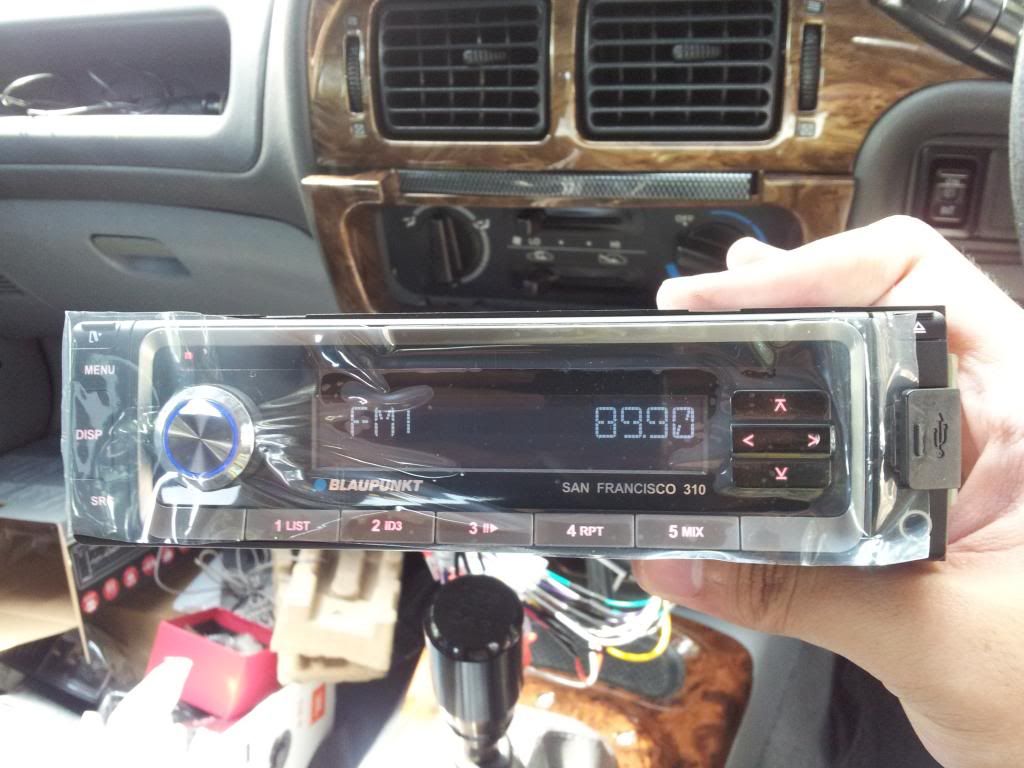
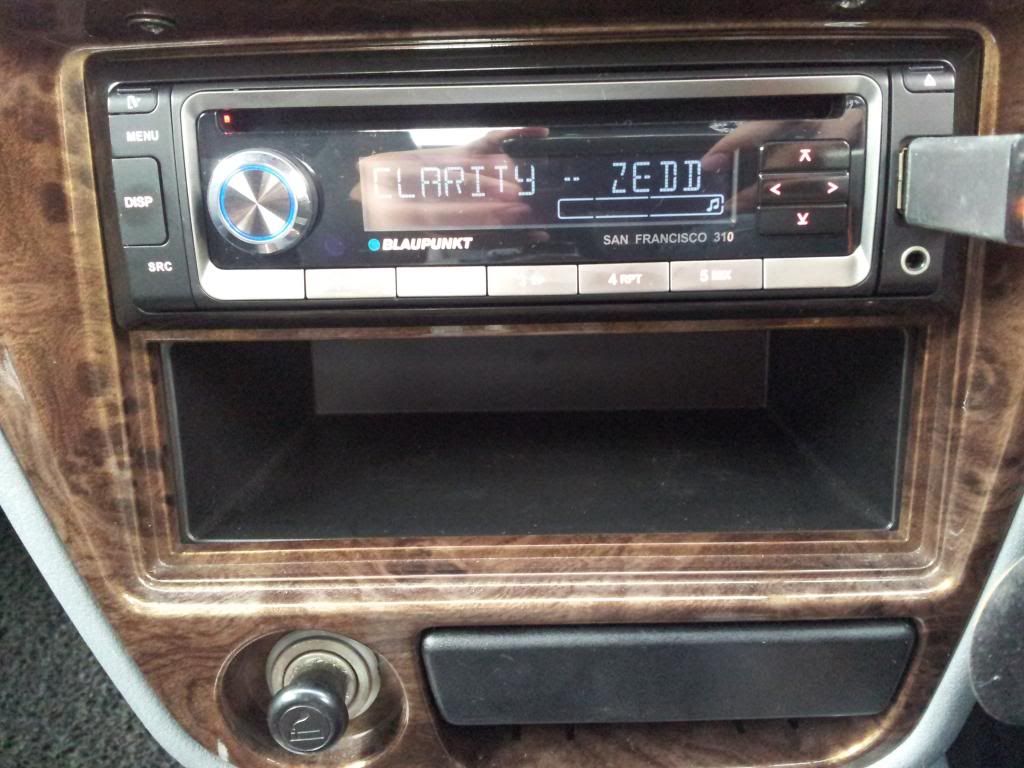
So I got myself a Blaupunkt San Francisco 310 for RM280, minus the labour fee of RM30 - which I did not pay for since I decided to diy it. The whole process is pretty straightforward actually.


Why Blaupunkt?


  • Because my perception of the brand is good; being a German company [used to be a subsidiary of Bosch], plus my earphones that I got free last year was Blaupunkt (model Pure 111 Talk Earphones) and the sound reproduction and bass is very satisfying, not to mention the build quality of the product.


Moving on, here is the breakdown of things needed:

1. The head unit itself (HU)
2. Philip head screwdriver
3. Wire cutter
4. Electrical tape - recommended to use 3M brand
5. Pliers
6. Extraction tool - to extract the old head unit, usually consist of 2 pieces of metal to be inserted at the sides of the old head unit to be pulled together to do so.
7. Cable tie (optional) 

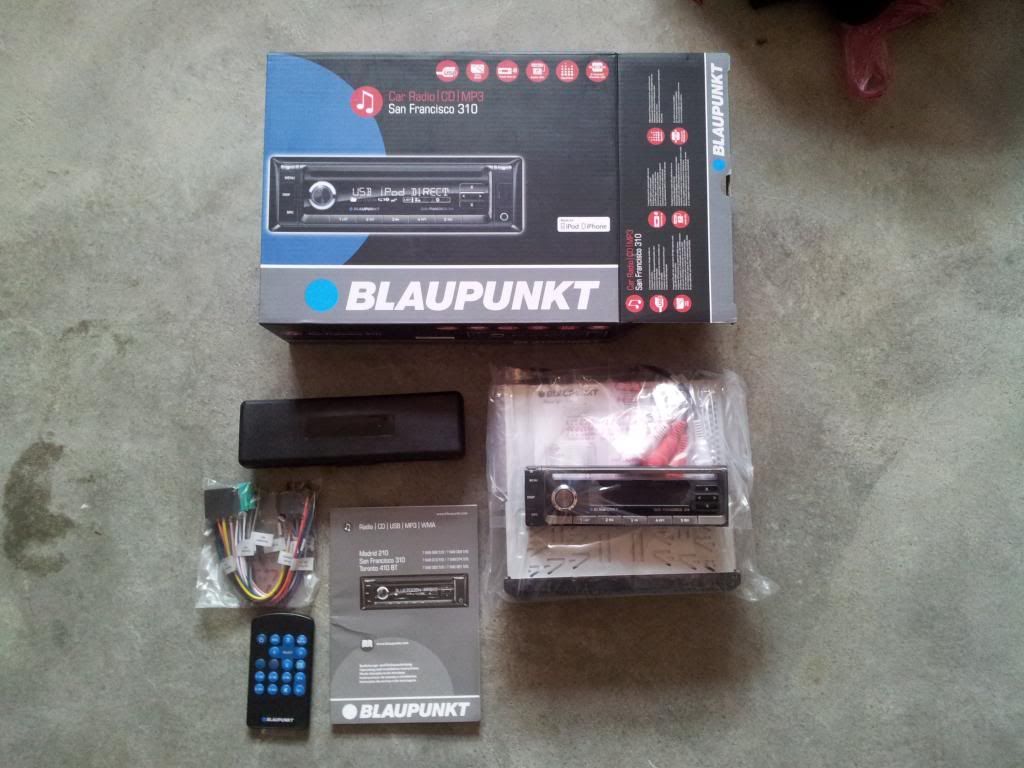
My new HU came with remote controls, extraction tools, screws, the head unit itself, detachable front face with casing, socket/adapters and the usual manual book and warranty card. Picture below:


Here's how you do it:


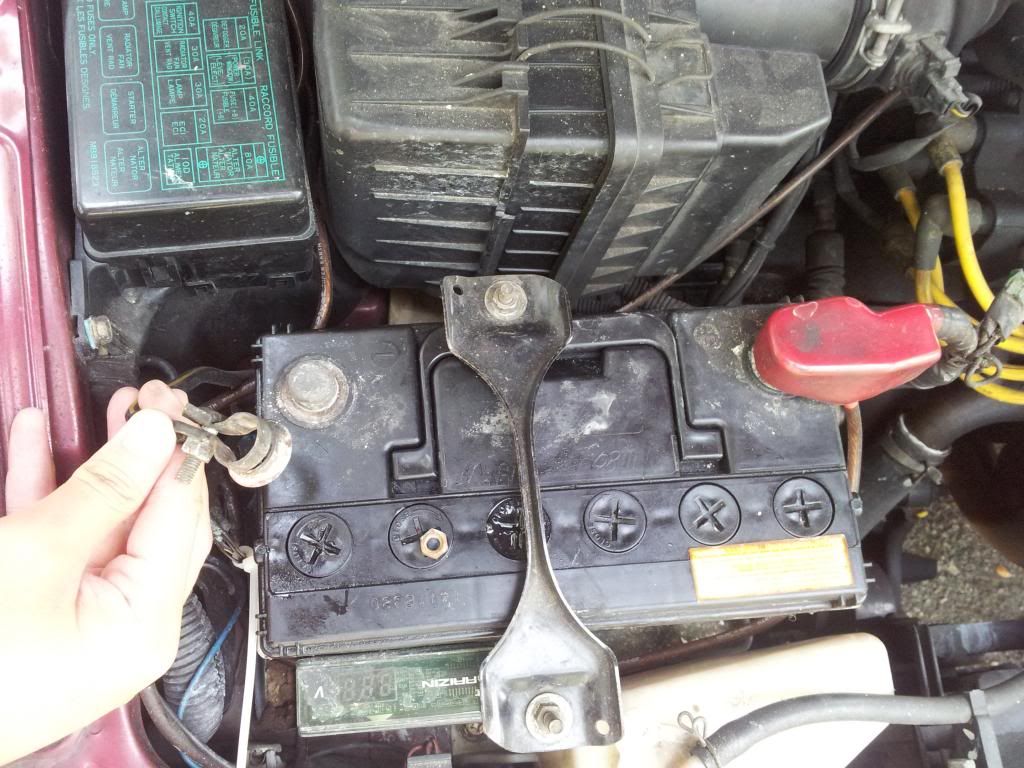
1. Remove the negative ( -ve ) battery terminal of your car, so that you won't fry your new HU or any other things in your car whilst wiring everything up.

**if you screw this step, you'll fry your HU and you'll be sad - hu hu hu huuuu.
K lawak hambar. -_- 


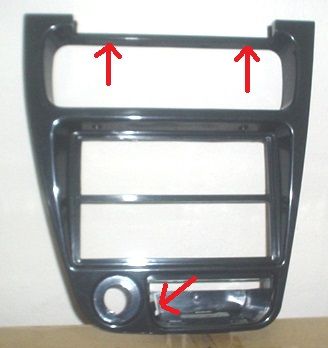
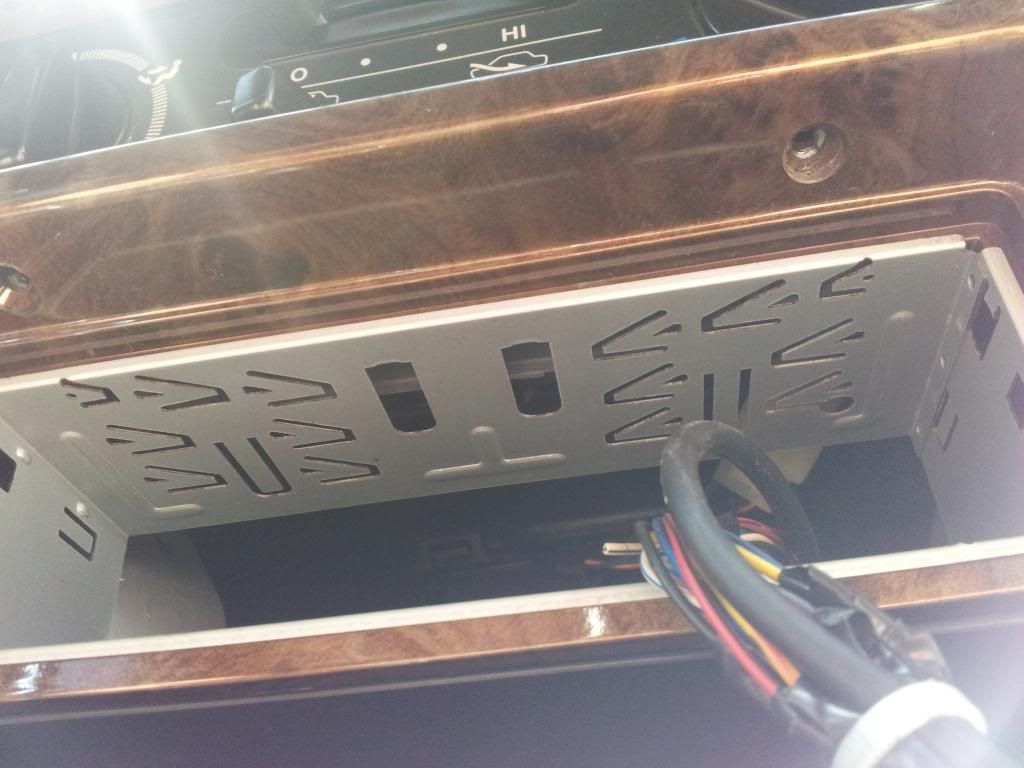
2. Extract the old HU by inserting the 2 metal pieces at the sides. Pull it out gently. For Wira, it is recommended to unscrew the lower part of the dashboard to ease work later. The srewpoints are shown below. 
Pic sourced from Google image.
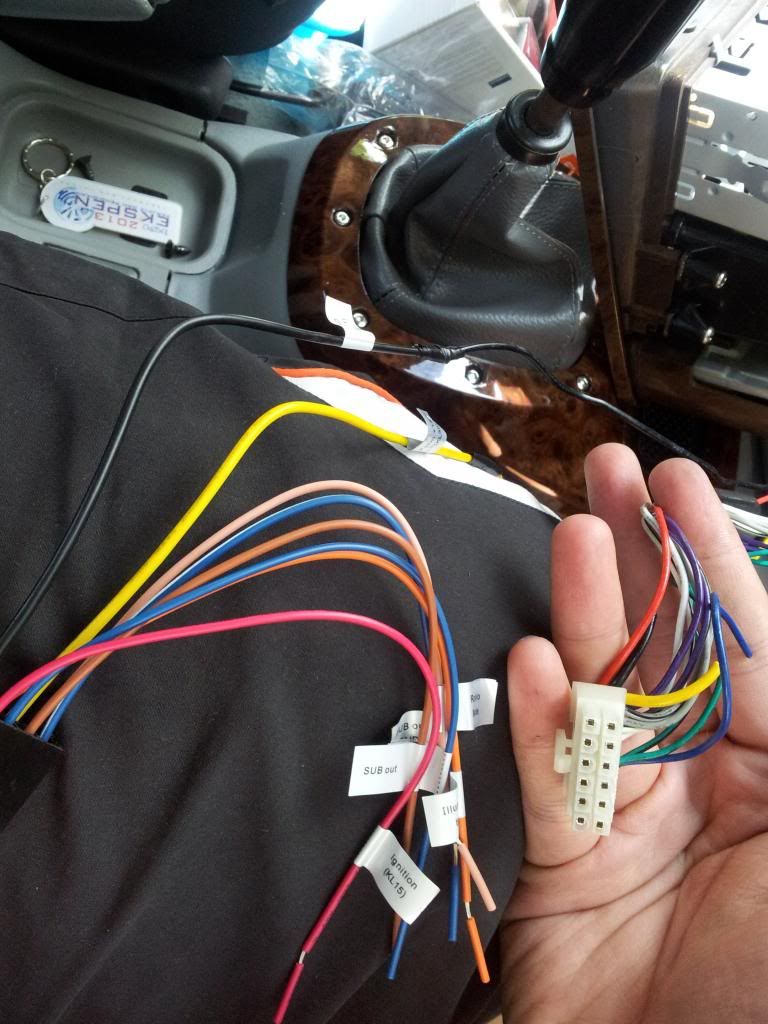
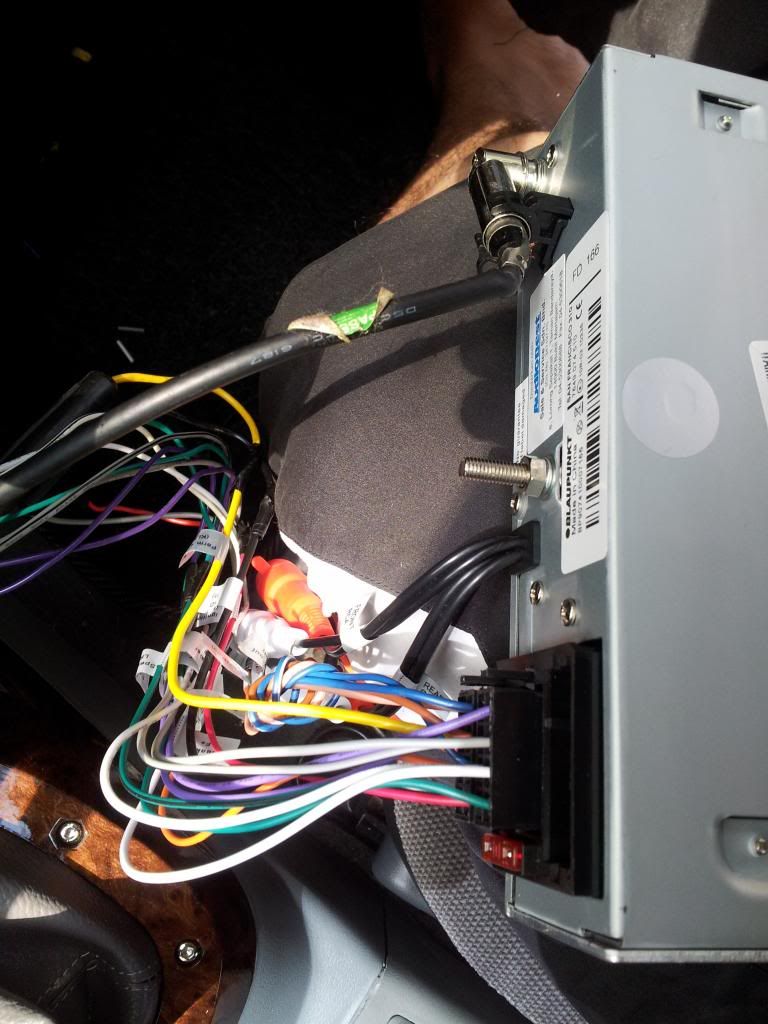
3. You'll next be presented with a bunch of wires. Now, don't be panic because most people will do. Gently pull out the adapter and the antenna for FM reception from the HU. Take pics if necessary. Flip the HU on the underside, and there'll be the wiring diagram for the old HU. Identify each wires and what they are for along with the polarity (+ve or -ve) so that you can transfer them each to the adapter for the new HU. I did so one-by-one so that I won't get confused. Actually, you can just cut them all at once then identify (recommended for pros only 
Red - needed only if you've a subwoofer system
Green - the adapter which needs to be rewired to the new HU's adapter
Yellow - the wire connects the HU to the FM antenna receiver 


4. After studying the wiring diagram, wire it accordingly using the wire cutter, tie them together and then insulate it with the electrical tape. Observe the polarity and if there is/are unused wires, cut it so that the copper will not be exposed, risking a blown fuse (or worse, burning your car!). Since the Blaupunkt HU's adapter come with labels on each of the wires, it assisted in getting the wiring process done faster. 


The wiring diagram - cross check old and new HU's wiring. they might differ in colour.
Left - labeled new HU wires.
Right - the old HU's adapter

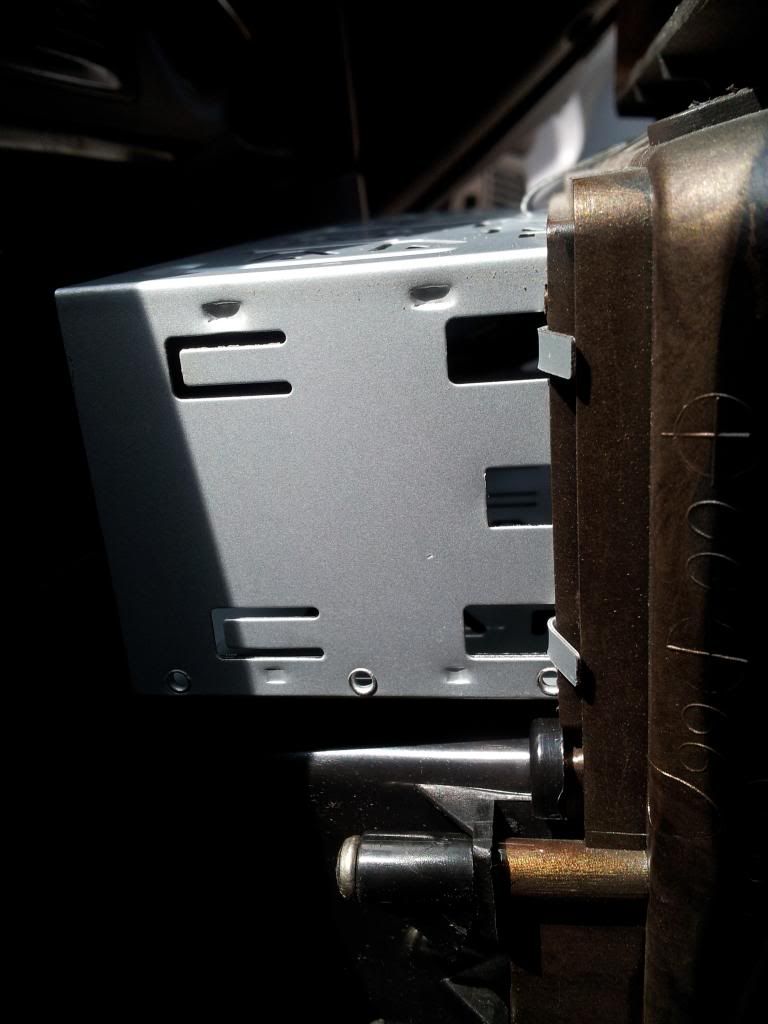
5. Don't forget to remove the old HU's sleeve and replace it with a new one. Pull out the dashboard frame after unscrewng it. Most car dashboard panels are can be popped out easily by pulling them albeit might need some force (but not too much!). Bend the pins on all sides to the dashboard frame to secure it in place, like so. 


Side view. Do the same for all sides, dorsal and ventral (top and bottom) 
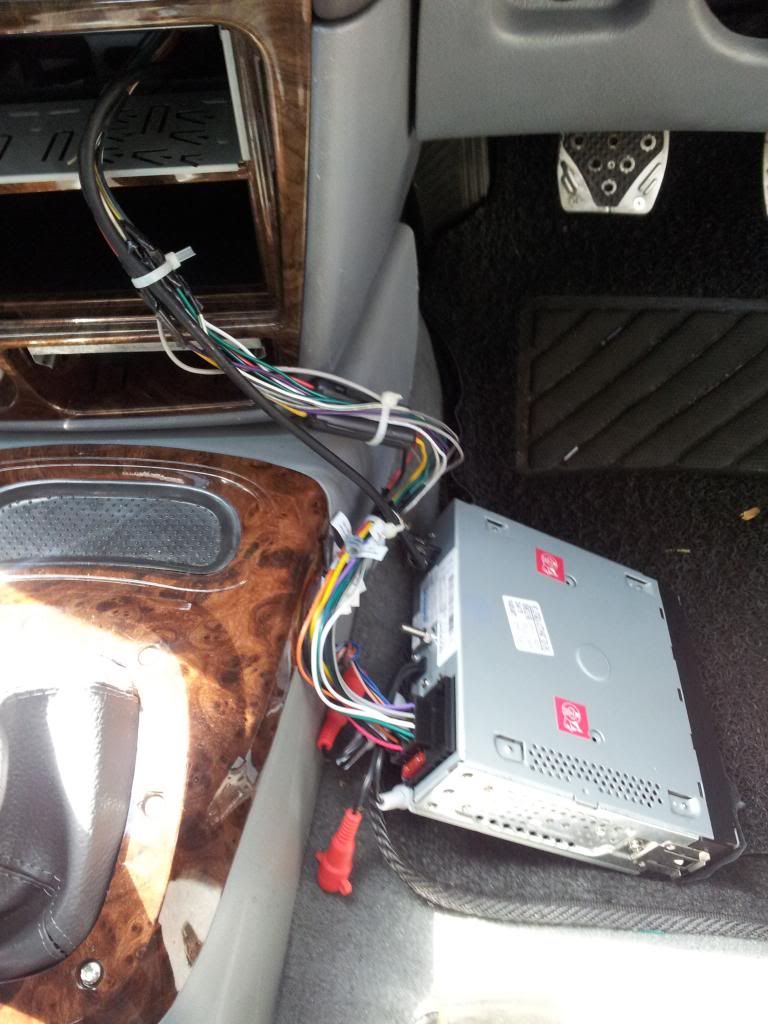
6. After you're done with the wiring process, plug in the adapters to the new HU, insert it into the sleeve but don't lock it in yet! Connect the -ve terminal of your car battery and test the HU first. 
* it is advisable to clean the antenna receiver's connectors to ensure a good reception-guna jari pun boleh!
Everything's in - adapters and FM antenna receiver. 
7. When you're satisfied with everything, tie the wires together either using cable ties or electrical tape, making a circular upwards motion to tie the wires together in one single bunch. Personally, I prefer cable ties. 


Make sure you test each feature the HU before finalising
Cable ties - makes the wiring look neat!
For Wira's dashboard - don't forget to screw this back in before sliding the HU in it's slot. 
Done! 
How it looks at night. Nice, eh? :D

8. Enjoy your new HU! Bask in the fact that you've saved yourself labour fees by doing this yourself, add to that the satisfied feeling of doing a diy project. 


Happy DIY-ing! 

Ends.

Nota kaki: 

1. Actually, the HU comes with a feature of auto-dimming the light when you switch on the light. The wire was to be tapped to any accessory light. I did so, but ended up burning a fuse. Made me panicked for a while. Went to the accessory shop where I bought the HU and got the fuse replaced, alang-alang I requested for them to check my wiring. They cut and secured the tapped wire so that in the future it won't blow the fuse again. 

2. Grand total is RM285. RM5 for the fuse + wiring check by the accessory shop. Nevertheless, I saved RM30! 

3. All these took one and a half-hour. Because I take my time to take pics for this entry. Hihi 

DIY Project: Fog Light Bulb Change: Kobo Xenon H3 bulbs

Assalamualaikum, Greetings!

Here's a short entry on a recent DIY I made over this study+examination week. Actually there are two diy projects that I made during this period. The urge to diy this time around came at an inappropriate time. Therefore, time management is key. Haha! 

Initially, I contemplated on replacing the stock H3 bulb in my fog lamp to a HID kit. But I retracted (for now) considering the amount of work I have to go through to install the system - dismantling the bumper, drilling a hole in the bumper, putting a bracket and perhaps have to get a new pair of fog lamps altogether - leceh).

Why HID lamp on a fog lamp? Why not convert the headlamps to a HID system?
The reason being here is that whenever I caught myself in a JPJ roadblock, I can switch the fog lamps off and get away scotch-free. Ha! 

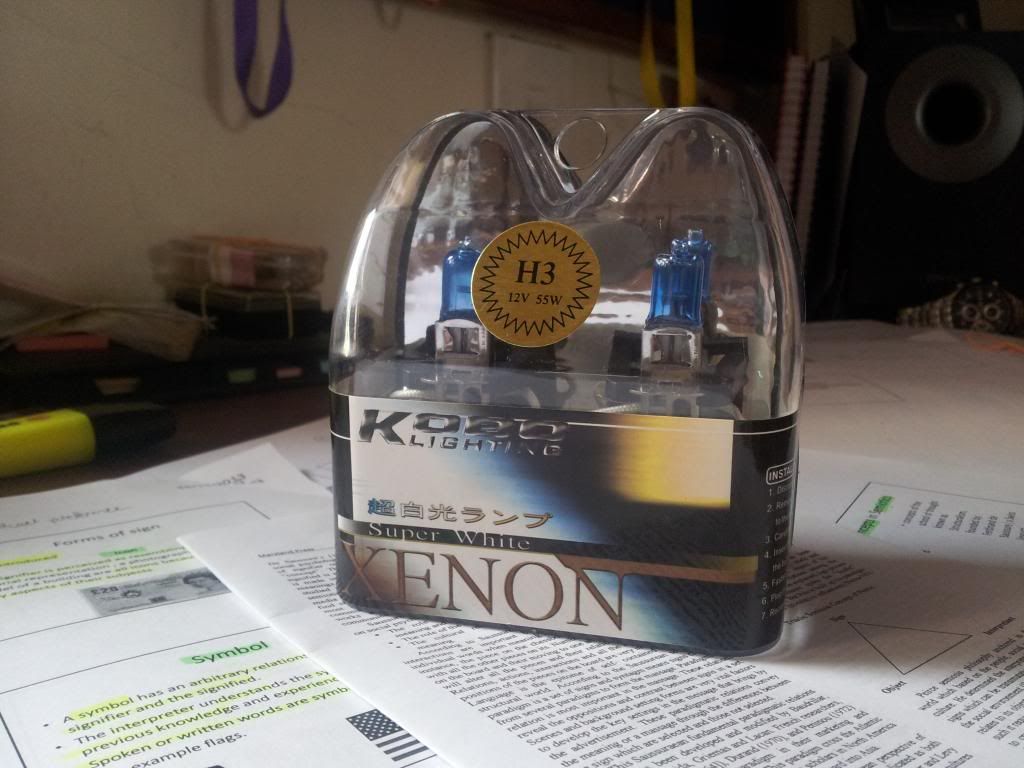
As for this diy, I got myself a Kobo H3 bulb from Lelong. Since there are no reviews available online yet for this product (not any in my knowledge so far), so here I am writing a short review of this product. Replacing the bulb is a straight forward process. All you need is a philip screwdriver, wire cutter (if necessary) and electrical tape, and you're good to go!

Here are the pictures. I believe it will take care of the review.
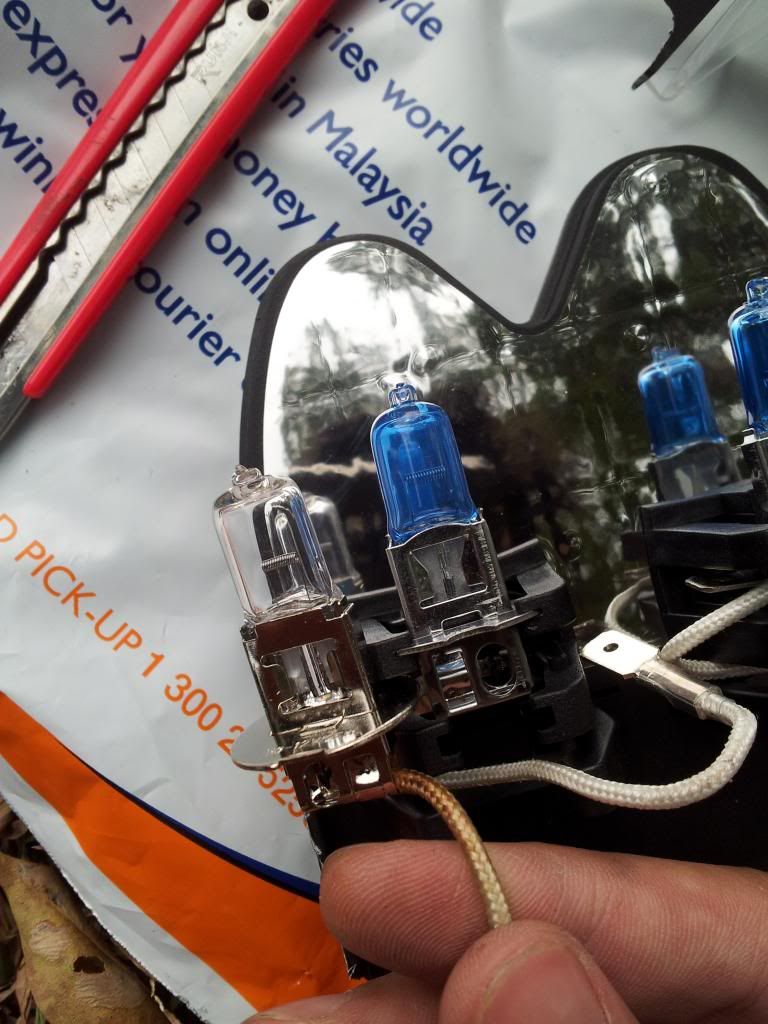
The aftermarket Kobo Xenon H3 Bulbs 
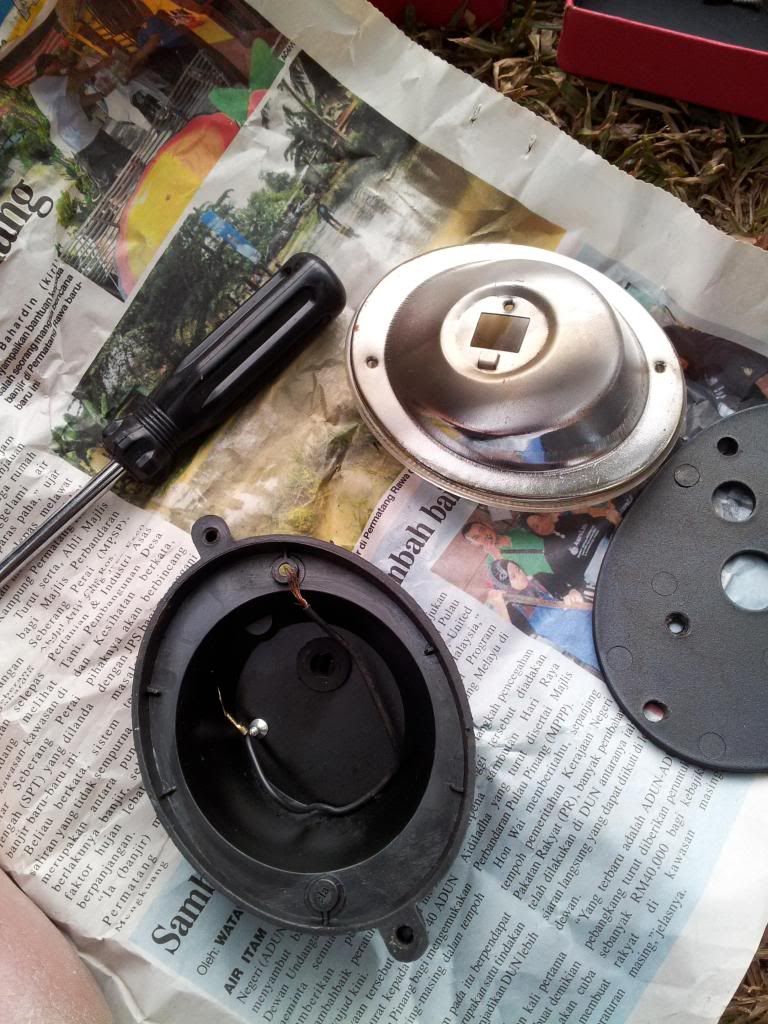
Bulb replacing in process 
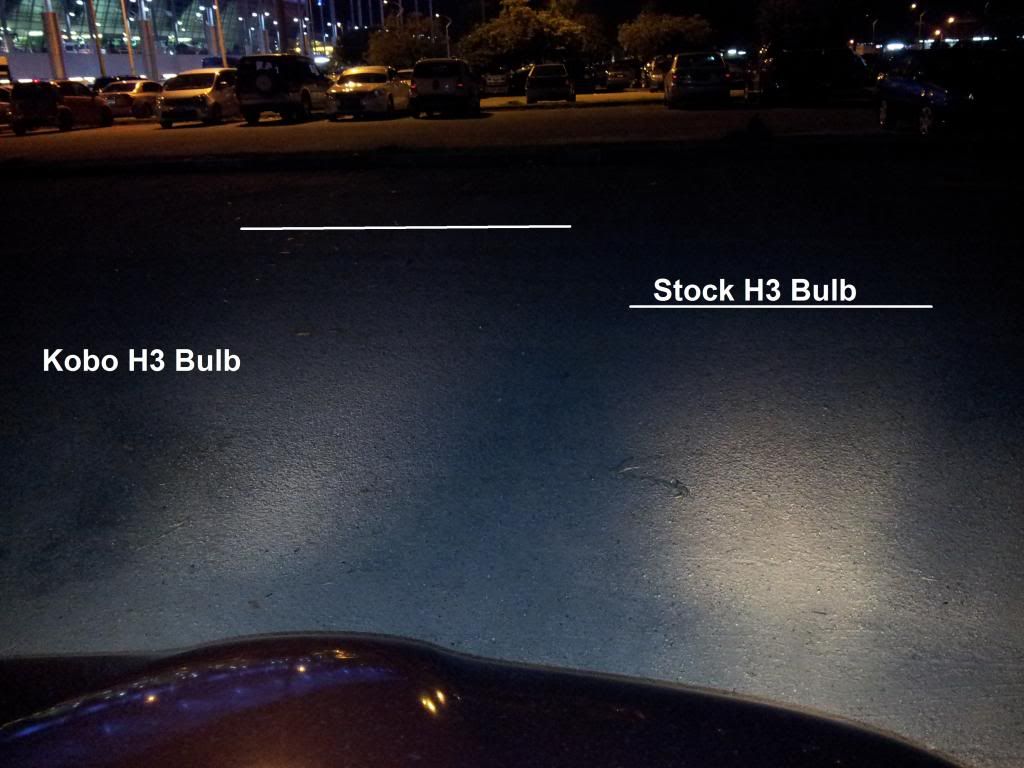
The difference between stock H3 bulb and the aftermarket one


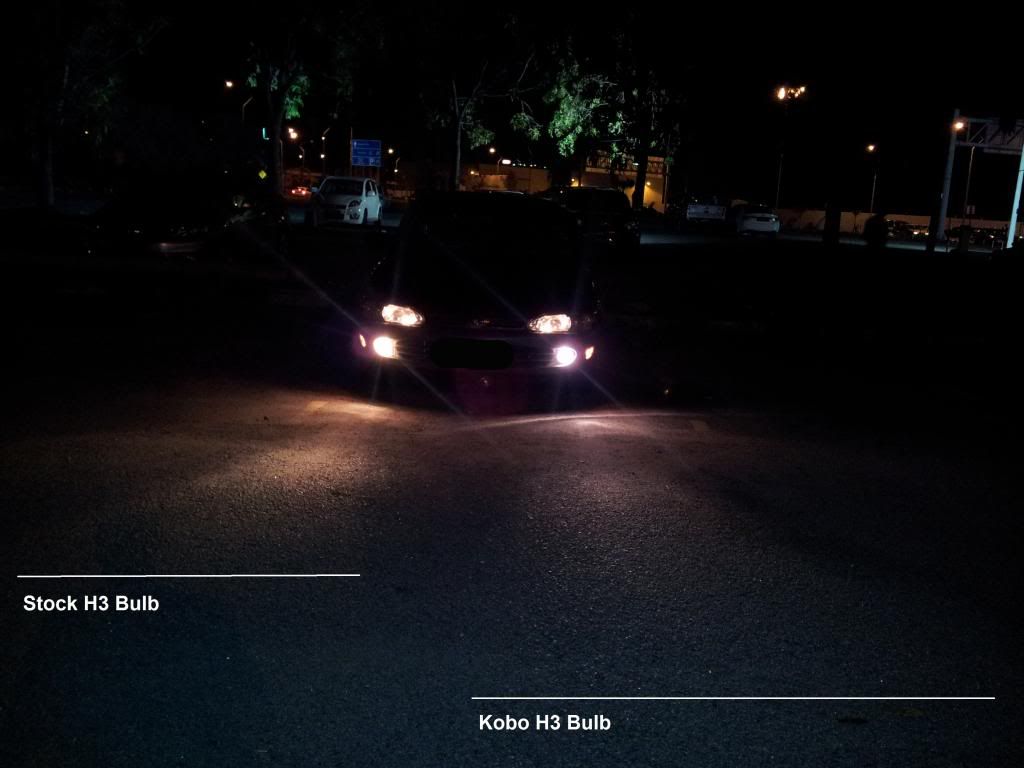
Another comparison, as viewed from the driver's perspective.
The difference between the bulbs are shown here. The white lines denote where the projected light ends respectively.


As of now at the time of writing, I am yet able to fully appreciate this upgrade since I only drive around Penang island where there are many street lamps illuminating the road. Perhaps I'll appreciate it when I go through a really dark kampung road or the likes. Should there be any visible improvement, it'll be updated here.

Ends.